



Should you buy a new or used Macbook in 2023? This is a common question, as most people prioritize new products for their long-term assurance. However, used Macbooks remain a popular choice among students due to their economic benefits and usability.
But this seemingly great deal comes with certain risks that need consideration for the best decision. So, what should you keep in mind when buying a used Macbook? Will a good price on a used Macbook outweigh the safety of a new one? Let’s explore this with 24h Technology!
Should you buy a new or used Macbook? Buying a new Macbook: What do you get?
If you’re a true iFan, eagerly awaiting and buying new Apple products is perfectly normal. And naturally, if you’re using an iPhone and iPad, buying a MacBook will seamlessly integrate your data and your familiarity with Apple’s technology.
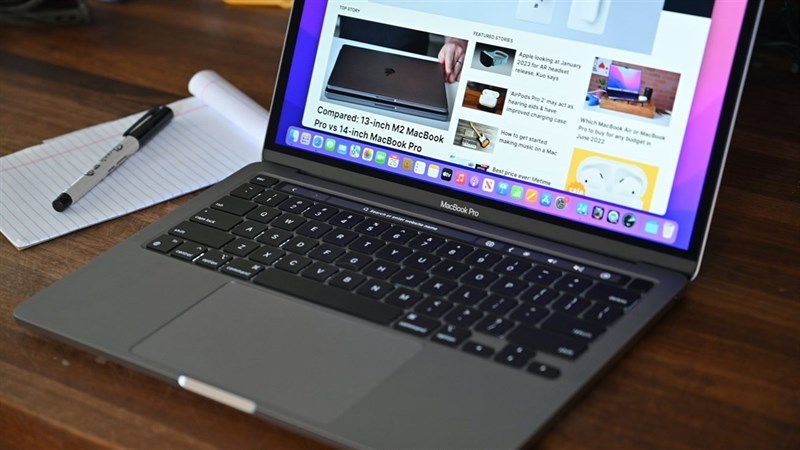
The biggest reason to buy a new Macbook is the ability to experience the product in its entirety, with a 100% guarantee on appearance and quality from both the distributor and manufacturer.
Why the 100% guarantee? Because brand-new, sealed products usually have very few software or hardware issues. If any arise, you can utilize Apple Care and get a replacement, or use the warranty provided by the authorized distributor. Buying new means you’re covered by a warranty!

Buying a new Macbook allows you to easily choose a model, instead of having to meticulously check details like the screen, trackpad, appearance, and functionality, as required for used products. Buying new saves you a lot of time.

If you have the financial means, buying a brand-new, sealed, officially-authorized Macbook is the best option. Of course, this comes with reliable warranty coverage, and you can also purchase Apple Care for global warranty protection.
Used Macbooks: The pros and cons of a more affordable product
However, brand-new, officially-authorized Macbooks are not cheap. Not everyone can afford to spend over $20,000 on one. Therefore, choosing a used, like-new Macbook with 99% quality but saving several thousand dollars is a smart and budget-friendly option for students.

Used laptops are sold on the market at prices 20% to 30%, or even 50%, lower than new products. The price of a used Macbook depends heavily on its cosmetic condition, configuration, and generation.

The lower price comes with risks associated with used products. A used Macbook means it’s been previously used, potentially encountering hardware, software, or cosmetic issues affecting the user experience. Be sure to check thoroughly for any component replacements!

Used Macbooks don’t come with Apple Care, so repairs can be costly. Fortunately, if you buy a used Macbook from a reputable retailer, you might get a 3-month warranty.
Choosing where to buy is also crucial. Many retailers sell used Macbooks at varying prices and with different offers.

The Gioi Di Dong is a reputable distributor of used Macbooks that you can consider. Remember to choose wisely to avoid problems!

If you’re knowledgeable about Macbooks and can confidently inspect used ones to avoid any tricks from the seller, buying a used Macbook is a reasonable choice—affordable and great value!
Are you aware of which Macbook models to consider? Check out these Macbooks!
1. MacBook Air M1: A smooth experience with the M1 chip
The MacBook Air M1’s biggest highlight is the powerful M1 chip. It’s not an exaggeration to say the M1 is one of the most powerful chips for lightweight laptops in its price range.

The M1 chip is perfect for students, offering excellent performance for basic office tasks (Word, Excel, etc.) and graphic design software (Photoshop, AI, Premiere Pro, etc.). The M1 chip also boasts excellent battery life.
Additionally, with a sharp 2560 x 1600 resolution, the 13.3-inch Retina display is ideal for displaying various content, from clear websites and documents to vivid videos.
- MacBook Air M1 2020 review: The best $30,000 MacBook.
MacBook Air 13 inch M1
19,990,000₫ -9%
View key features
- Display: 13.3″, Retina (2560 x 1600)
- CPU: Apple M1
- GPU: 7-core GPU
- Battery: Up to 18 hours
- Weight: 1.29 kg
View Details
MacBook Air 13 inch M2
Temporarily Out of Stock
24,990,000₫ -12%
View key features
- Display: 13.6″, Liquid Retina (2560 x 1664)
- CPU: Apple M2, 100GB/s
- GPU: 8-core GPU
- Battery: Up to 18 hours
- Weight: 1.24 kg
View Details
2. MacBook Air M2: New chip, new experience
Apple’s design elegance is undeniable, and few products in the same segment can match it. The solid unibody metal casing and sharp edges of the MacBook Air M2 offer a luxurious look reminiscent of its “big brother,” the MacBook Pro.

The Apple M2 chip, while similar in design to the M1, promises an 18% performance increase and is 1.9 times faster than other 10-core laptop chips, providing ample power for all tasks from studying and working to graphics and specialized engineering.
Moreover, the MacBook M2’s sound system combines four speakers, Dolby Atmos, and Spatial Audio technology for immersive, multi-dimensional sound, providing a superior movie and music experience.
- Can the MacBook Air M2 handle graphic design? Should designers consider it?
MacBook Air 13 inch M2 10GPU
Temporarily Out of Stock
29,990,000₫ -16%
View key features
- Display: 13.6″, Liquid Retina (2560 x 1664)
- CPU: Apple M2, 100GB/s
- GPU: 10-core GPU
- Battery: Up to 18 hours
- Weight: 1.24 kg
View Details
MacBook Air 13 inch M2
Temporarily Out of Stock
24,990,000₫ -12%
View key features
- Display: 13.6″, Liquid Retina (2560 x 1664)
- CPU: Apple M2, 100GB/s
- GPU: 8-core GPU
- Battery: Up to 18 hours
- Weight: 1.24 kg
View Details
3. MacBook Air Pro M2: Unrivaled quality and sophistication!
The MacBook Air Pro M2 is a significant upgrade. If you want a lightweight product with powerful performance from the M2 chip, this is the one for you.
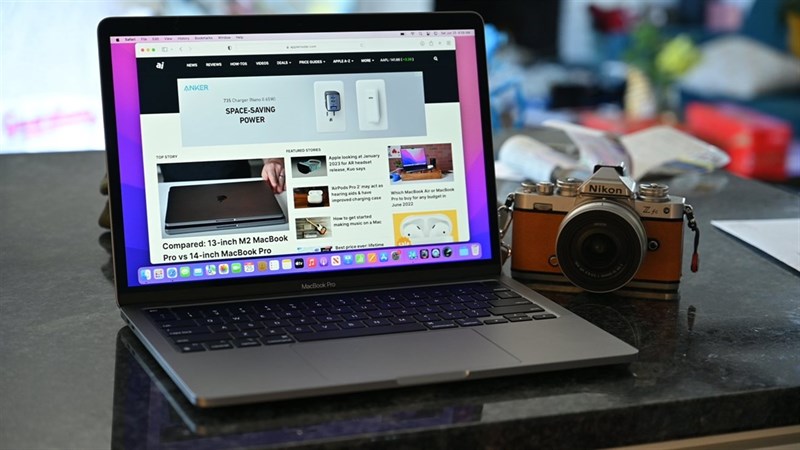
Beyond its attractive design, its weight of just 1.4 kg and thin 15.6 mm profile make it portable and easy to carry in a backpack.
The M2 chip is incredibly smooth, combined with the user-friendly macOS operating system, a beautiful interface, and a vast app library for maximum convenience in work and study. This also ensures significantly smoother operation.
Should students buy a used or new Macbook?
For students, a compact, lightweight MacBook with stable performance and an affordable price is top priority. Used MacBook Air and MacBook Retina models, priced around $15,000-$20,000, are best suited for this demographic.

However, used Macbooks are only suitable if you are knowledgeable about the product and can inspect the machine yourself.
But if a new Macbook is within your budget, I still recommend buying a new one! Enjoy it without worrying about malfunctions and have peace of mind for long-term use. After all, spending a little extra for peace of mind is worth it.
Conclusion
This article has outlined the considerations for buying a new or used MacBook from The Gioi Di Dong. Hopefully, you can choose the best product for your needs. You can check out used Macbooks using the button below!
