


While using your iPhone or Android smartphone, you might sometimes wonder where downloaded files are stored and how to find them after downloading. This article will answer your questions and guide you on how to find those files.
1. For iPhone, iPad (iOS)
Generally, when you use an app on your iPhone and download a file, it’s automatically saved with the app that can handle that file type.
For example: If you download a movie from Netflix, that movie can only be opened using the Netflix app.
Different file types usually require different apps to open them. If you download a file and can’t open it, search Google for a suitable app.
See more:
- 8 easy ways to transfer files from your computer to your iPhone
- Transferring data from iPhone to Samsung phone using Smart Switch
- [Video] How to completely hide photos and videos on your iPhone without an app
- How to easily save attachments, images, and videos in iMessage
– Downloading images, videos, and storage
If you receive a photo or video via email or messaging apps, there are two ways to save it to your phone.
Instructions: Open the image or video you want to download > Tap the Share button > Two save options at the bottom of the popup window: Save Image and Save to Files.
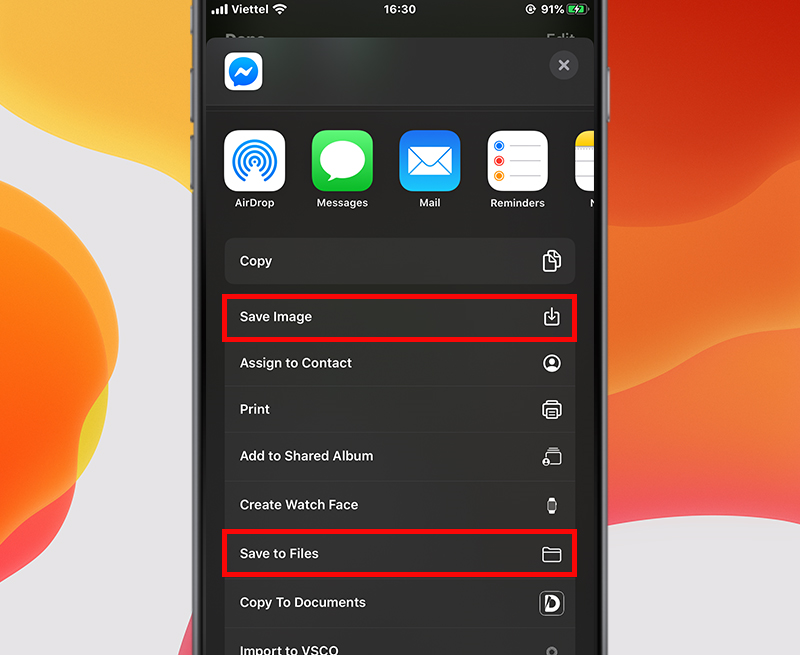
Choose where to save
Choose where to save
If you choose Save Image, the file will be saved to the Photos folder, and you can find it by opening the Photos app.
If you choose Save to Files, you’ll be asked to choose a folder in the Files app. To find it later, open the Files app and navigate to the folder where you saved the image or video.
– Downloading files from Safari and storage
Besides images and videos, you may also need to download other file types from the Safari browser.
Instructions: Open Safari > Go to the website with the file you need > Download the file > Different file types have different ways of opening them.
Example: Files ending in “.pdf” are usually downloaded and opened in a new Safari tab.
A prompt will appear asking you to choose where to save the file, and how you want to open it later. Simply select your desired save location.
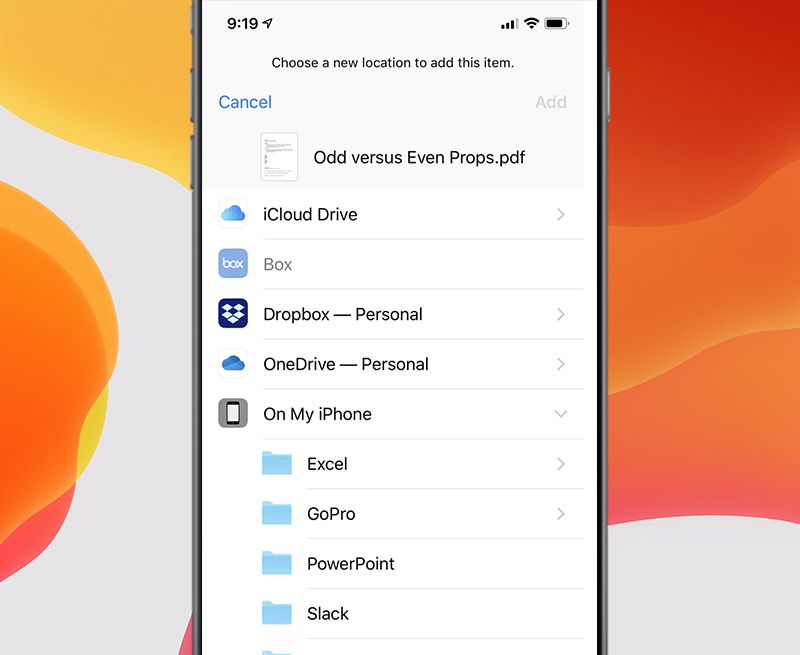
Choose where to save the file
Choose where to save the file
In Apple’s September 13th announcements, the new generation of iPhones are designed with the environment in mind. All four models – iPhone 15, iPhone 15 Plus, iPhone 15 Pro, and iPhone 15 Pro Max – use many recycled materials and are available at The Gioi Di Dong.
– How to open saved files on iOS
The Files app is pre-installed on iOS devices. Use this app to open files saved on your phone.
Instructions:
Type “Files” into your phone’s search bar to find the Files app.
In the Browse section, select the folder where the file is saved.
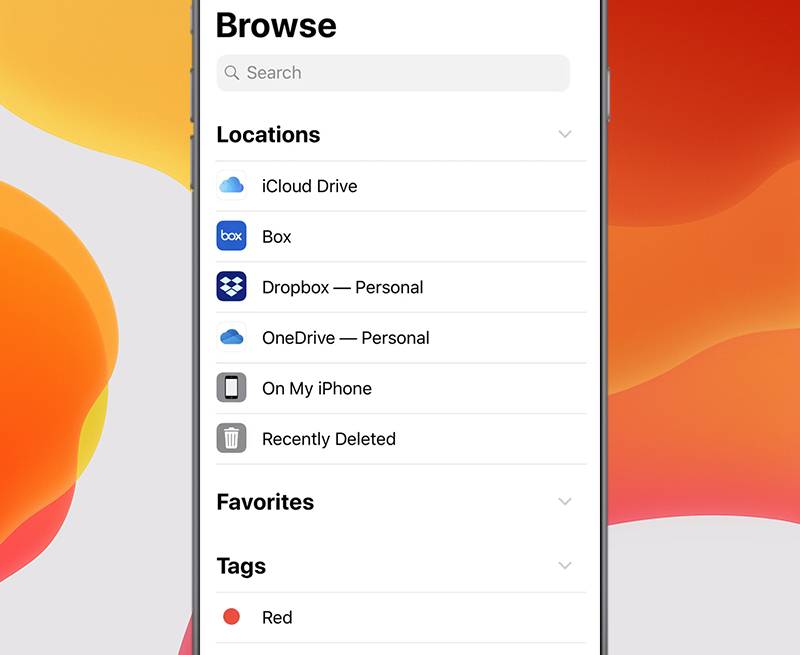
Files app interface
Files app interface
Open subfolders to find the file > Tap the file you want to open; your iPhone will automatically open it with the appropriate app.
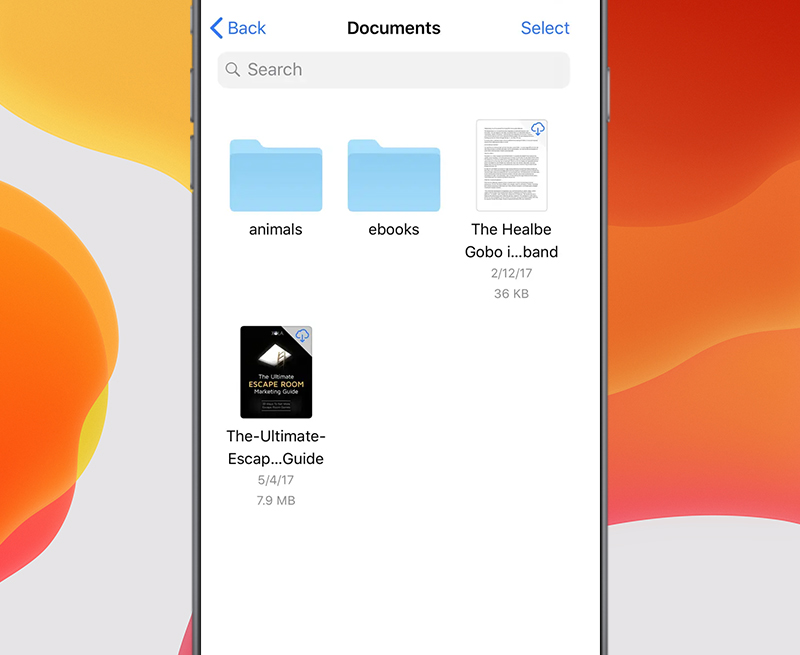
Select the file you want to open
Select the file you want to open
2. For Android devices
On Android devices, downloaded files are stored in a folder called Downloads history.
To find downloaded files, go to the My files folder and select Downloads history.
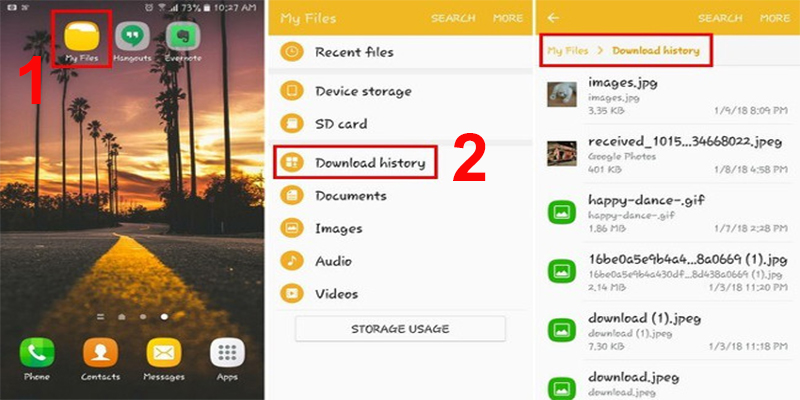
How to find files on Android
How to find files on Android
If you have questions about OPPO phones and where files, photos, or videos are stored, see the article “Where are downloaded files stored on OPPO phones? How to find downloaded files.”
Hopefully, this information will help you find your saved files. See you in the next article.
References: Businessinsider and Lifewire.
